![ShippyPro Logo-1.svg]](https://help.shippypro.com/hubfs/Imported%20sitepage%20images/ShippyPro%20Logo-1.svg)
With ShippyPro, you can automatically send a WhatsApp message to your customers after delivery to invite them to leave a review on Trustpilot. WhatsApp has an open rate of up to 80% — significantly higher than email — and ShippyPro merchants using this workflow collect on average 1.8x more reviews than before.
Index:
1. What you need
Before getting started, make sure you have:
- WhatsApp Notifications active on your ShippyPro account (see how to activate them)
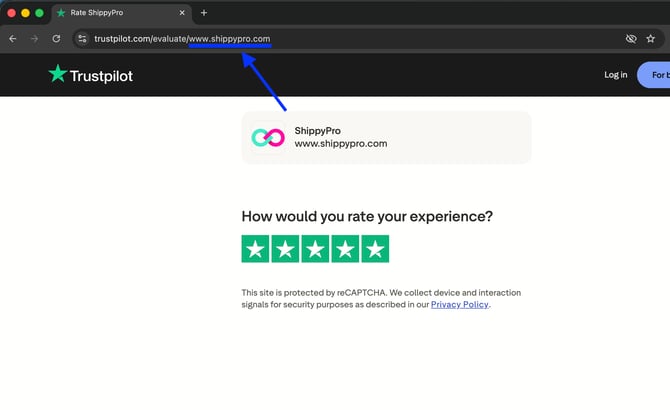
- Your Trustpilot review page link — use the universal format:
https://trustpilot.com/evaluate/yourstore.com
💡 Replace yourstore.com with your website. The universal format works for customers in all countries. Trustpilot will automatically redirect each visitor to the version in their language.
2. Configure the notification
Step 1 - Set up the template
ShippyPro includes a pre-approved WhatsApp template for review collection.
- Go to Notifications > Templates
- Find the pre-built template leave_a_feedback_link
- Enter your Trustpilot review page link in the dedicated field
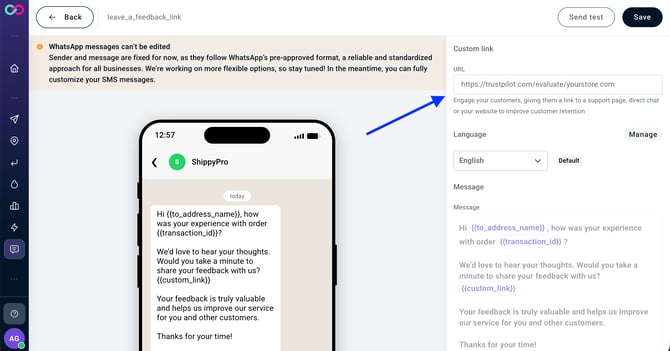
- Save the template
Step 2 - Create the workflow
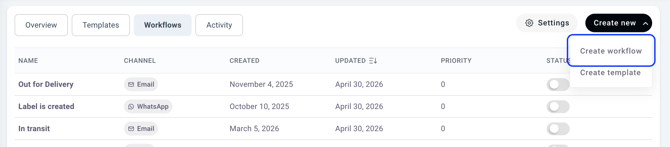
- Go to Notifications and click on Create new > Create workflow
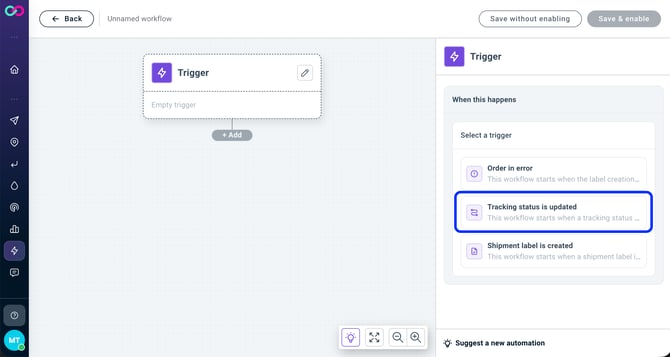
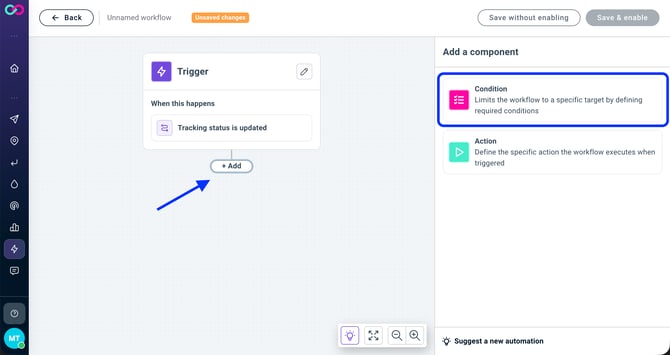
- Select the trigger: Tracking status is updated
- Click Add to add a condition and then select Tracking update condition
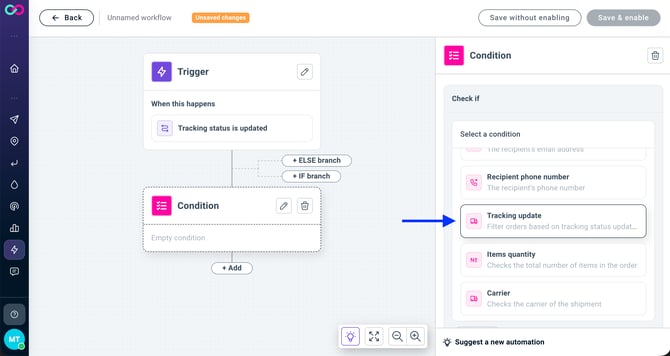
- Set the condition: tracking status is 6000 - Delivered
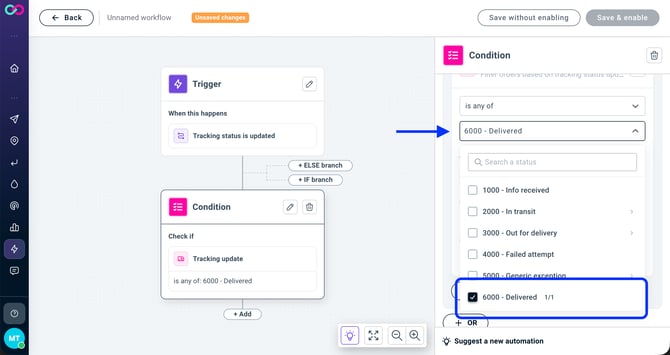
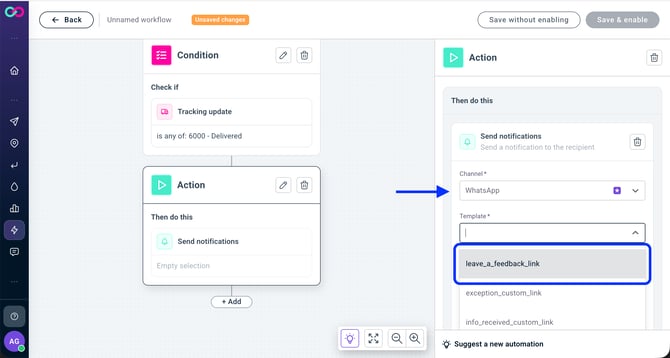
- Click Add to add the Send notification action and configure:
- Channel: WhatsApp
- Template: leave_a_feedback_link
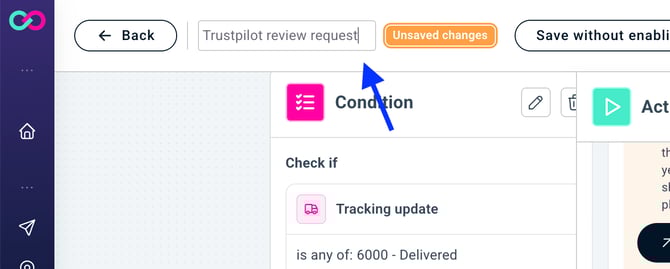
- Name the workflow (e.g. Trustpilot review request)
- Save & enable the workflow
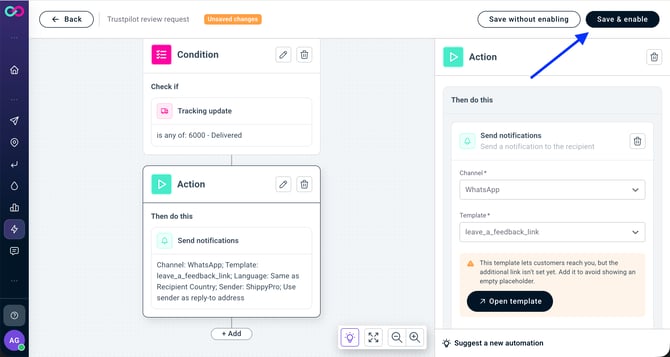
From this point on, every shipment marked as delivered will automatically send the WhatsApp message to the recipient.
3. Tips to get more reviews
- Timing matters. The message sent immediately after delivery has the highest conversion rate. The 6000 - Delivered trigger ensures exactly this.
- Use a direct link. Always use the
/evaluate/URL format — it opens the review form directly, removing any friction between your customer and the review. - Universal link.
trustpilot.com/evaluate/yourstore.comworks for all countries. Trustpilot redirects visitors to their local version automatically.
4. FAQ
❓ Do I need to pay for each WhatsApp message sent?
The first 100 WhatsApp notifications per month are included at no cost. Beyond that, pay-as-you-go pricing applies. See the WhatsApp and SMS Notifications pricing page for details.
❓ Can I use this workflow for Google Reviews or other platforms?
Yes. The setup is identical — just enter the link to your Google, Feefo, or any other review platform page in the template field.
❓ Is the Leave a feedback template available in multiple languages?
Yes. When configuring the workflow, you can choose to send the message in the recipient's country language (automatic) or force a specific language.
❓ What happens if the customer doesn't have WhatsApp?
The message won't be delivered and notification won't be billed. You can set up a parallel email workflow as a fallback for recipients without WhatsApp.