![ShippyPro Logo-1.svg]](https://help.shippypro.com/hubfs/Imported%20sitepage%20images/ShippyPro%20Logo-1.svg)
Once connected Shopify to ShippyPro, all Plans Payments will be conveyed through Shopify, unless you decide to disable Shopify from your ShippyPro account.
How can I pay with another payment method?
- Deactivate the Shopify marketplace connection in your ShippyPro account.
- Open the Plans page.
- Complete your plan payment with another available payment method.
You can reconnect Shopify after completing the payment.
Where can I find invoices for payments through Shopify?
If you pay your plan through Shopify, you can find the related invoices in your Shopify account.
How does payment work?
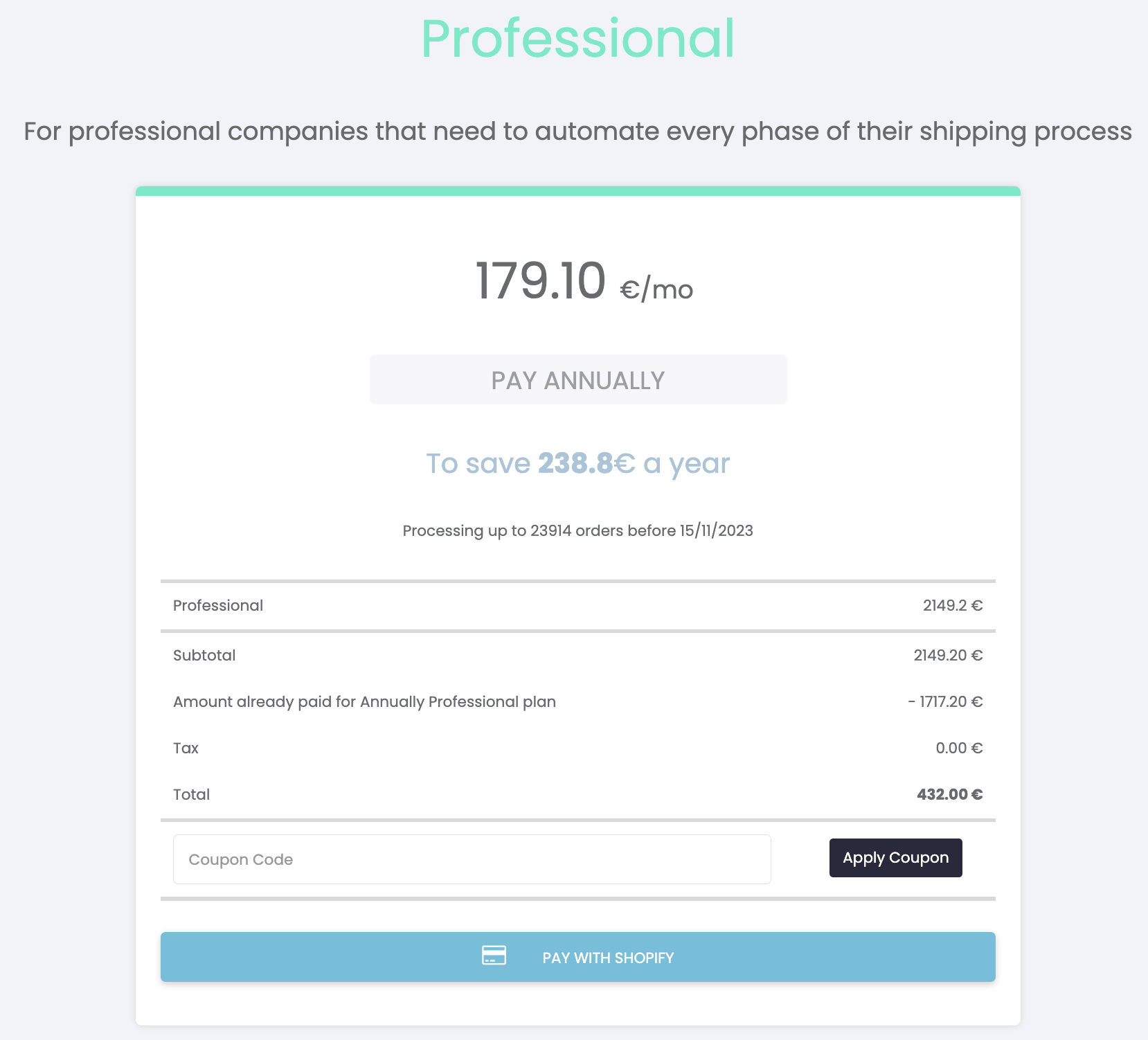
On the checkout page, a "Pay with Shopify" button will be displayed, which will redirect you to the store page to approve the payment.
How do I activate auto-renewal?
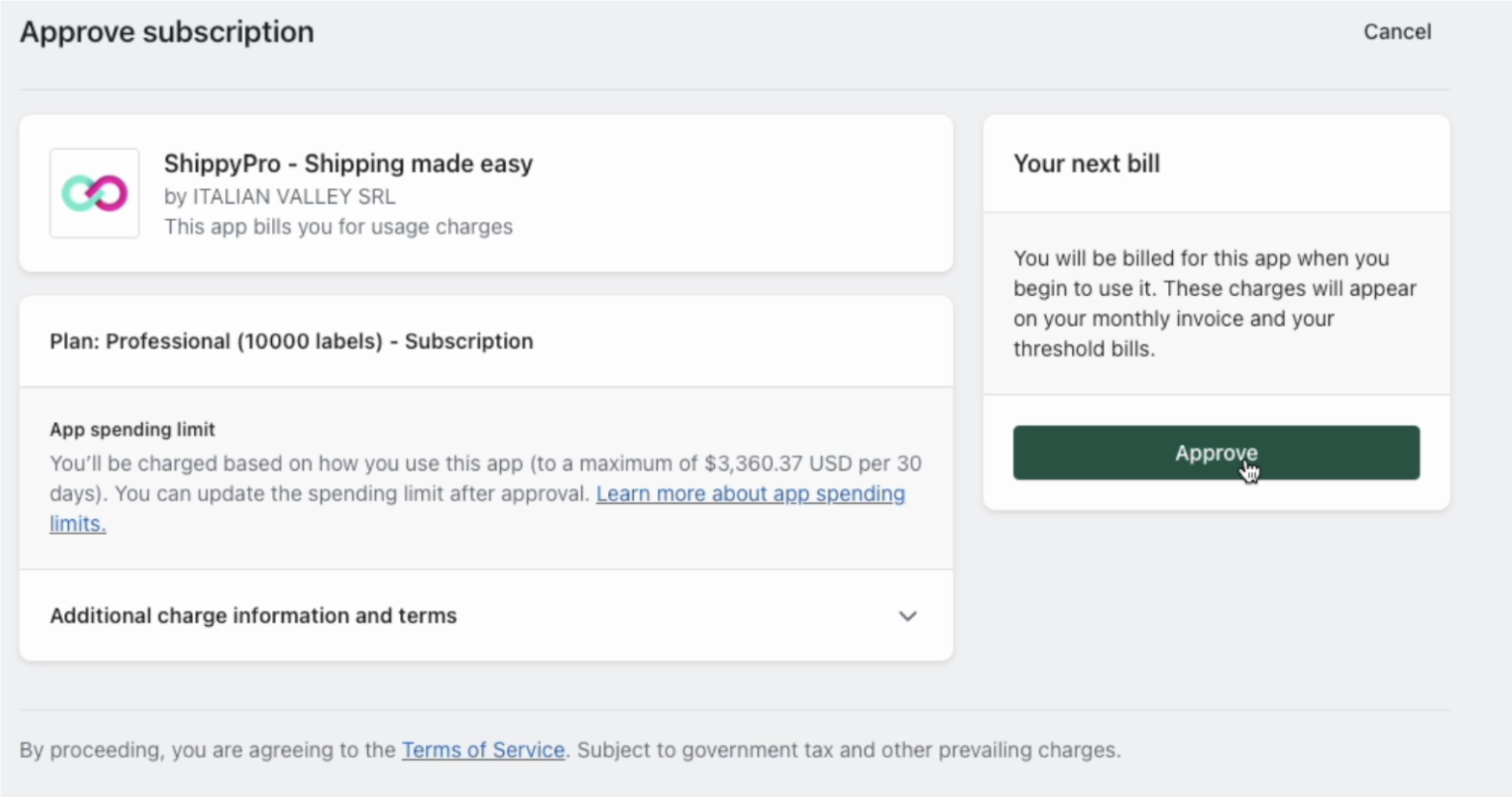
Once the first payment is made and confirmed, you will be automatically redirected to Shopify's subscription approval page.
In this case, when the subscription is confirmed, no additional payments will be performed.
Have you multiple Shopify accounts connected and you don't know how payment will be pursued?
If you have more than one Shopify account linked to ShippyPro, you can decide which one to use for your plan payment!
How? Simply go to the Marketplaces page and, from the table on the right, select the Shopify store to use by activating the specific button in the "Plan Payment" column.
The selected store will be used by default for plan payment.
You can change your selection at any time.
Please note: it is not possible to select more than one store at a time.
If you have activated auto-renewal, once you have changed the default store used for plan payment, you will need to activate a new subscription, following the flow described here.
For more information on how to manage your connection to Shopify or how to connect your store, please see the article Connect Shopify to ShippyPro.
Why when I try to renew my plan through Shopify I receive the error “Your account does not have the authorisation to view this page“?
If when you are trying to renew your plan through Shopify you see this error message, please make sure that your account has billing permissions over your Shopify store - You can reach out to the Shopify Customer Support team directly in case you are not sure who has the appropriate permissions.
Can I downgrade my plan if I pay through Shopify?
Downgrades are currently possible only if you pay through Shopify.
You can move to a lower shipment range and/or a shorter billing period directly from your Plan page only if you have a Shopify account and pay through it.
What happens next depends on how many shipments you've already used in your current billing cycle, compared to the new plan's range:
- If your usage so far still fits within the new plan's range, nothing changes right away. You'll keep using your current plan as normal, and the new, lower price will only apply from your next renewal date.
Example 1
You're on a 1000 shipments/month plan, renewing on the 15th. Today is the 5th and you've used 400 shipments. You downgrade to 500 shipments/month.
→ Since 400 fits within 500, nothing changes today. You keep your current plan until the 15th, when it renews at the new, lower price. - If your usage so far already exceeds the new plan's range, the new plan starts immediately: you're charged the new price right away, and a new billing cycle starts from today (not your original renewal date). During the short time this takes to process, creating new shipments may be briefly unavailable. Example 2
You're on a 1000 shipments/month plan, renewing on the 15th. Today is the 5th and you've used 600 shipments. You downgrade to 500 shipments/month.
→ Since 600 is more than 500, your new plan starts today: you're charged the new price now, and your new monthly cycle runs from today going forward. The remaining shipments and days from your previous plan are not carried over and will be lost. - If you downgrade to a lower plan range and lower duration, we will follow the above rules for the used range, but you won’t be refunded for any unused prepaid time
Example 3 — downgrading from an annual plan
You're on an annual plan with a 12,000 shipments/year range, 4 months in, having used 5,000 shipments so far. You downgrade to a 500 shipments/month plan.
→ Since your total usage (5,000) is compared directly against the new plan's range (500), this will trigger an immediate downgrade, and any remaining prepaid time on your annual plan will be forfeited.
If you're on an annual or biannual plan, keep this in mind before downgrading, especially partway through the year.
⚠️ Please note: if the new plan starts immediately, any range or prepaid time you haven't used yet is not carried over or refunded — this includes for example switching from an annual to a monthly plan, where any remaining prepaid months or shipments are forfeited.
Before confirming, you'll always see a summary with your new dates, new range, when the change takes effect, and — if an immediate charge applies — the exact amount you'll be charged.
Once the downgrade is complete, you'll receive a confirmation email. If you have any questions, feel free to reach out to our Customer Support team.