![ShippyPro Logo-1.svg]](https://help.shippypro.com/hubfs/Imported%20sitepage%20images/ShippyPro%20Logo-1.svg)
Creating your API folder is quick and straightforward, allowing you to start managing your API-imported orders directly in ShippyPro.
Here’s how to get started.
Have you already taken a look at our API Documentation? If not, click below!
-
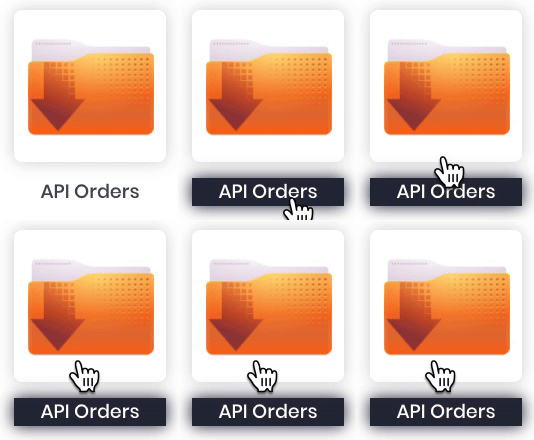
Once integrated our APIs, in order to import your orders into ShippyPro you need to create an API Orders folder from Marketplaces section.
Click on the API Orders folder at the end of the page.
-
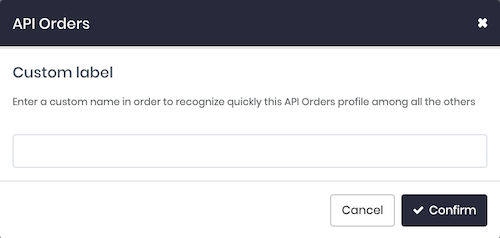
At this point, add a Custom Label to recognize your API Folders and click on Confirm, with the custom label you'll also be able to filter them in the Search Bar from Labels generated section.
-
Once the connection has been created click on Edit in order to get the API Orders ID linked to this folder.

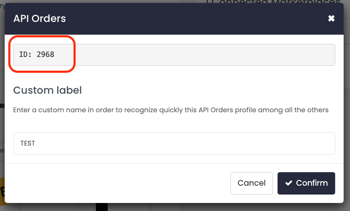
You can now proceed to make a PutOrder API call from API > API Console by specifying the API Orders ID previously found.
Note: In case you face "Error": "Invalid Input Data" while making PutOrder call, retrieve first the indicated Marketplace ID (APIOrdersID) to be included in the request along with the TransactionID.
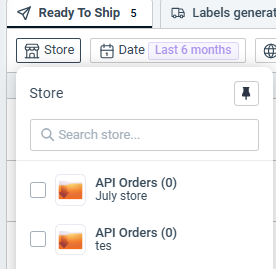
Like so you'll finally find your orders in the a customised folder in To Ship section.
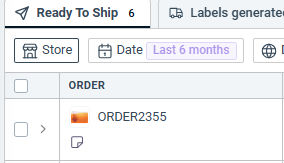
If you'd like to add multiple folders just repeat the process for each one!
-
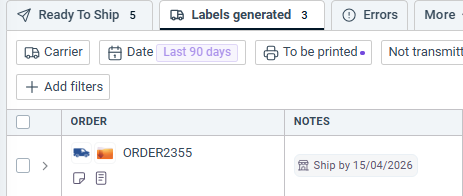
When you'll proceed with the Ship API call, remember to include the same Transaction ID to move the orders from To Ship in Labels generated.
 IMPORTANT
If you want to ship an order via API from your API Orders folder, make sure to insert the “APIOrdersID” in your PutOrder call, or omit the “MarketplaceName” field entirely in your Ship call. Otherwise, the system will create a manual shipment instead.
By filling imageurl field during Ship API call, you'll also be able to display the image of the product.